How Do AI Coding Agents Deploy Apps Fast?
Going from prompt to deployed app with AI coding agents takes four steps: write a clear prompt, let the agent generate your code, review what it built, then deploy with one click. The whole process can take under 60 minutes — even if you've never written a line of code in your life.
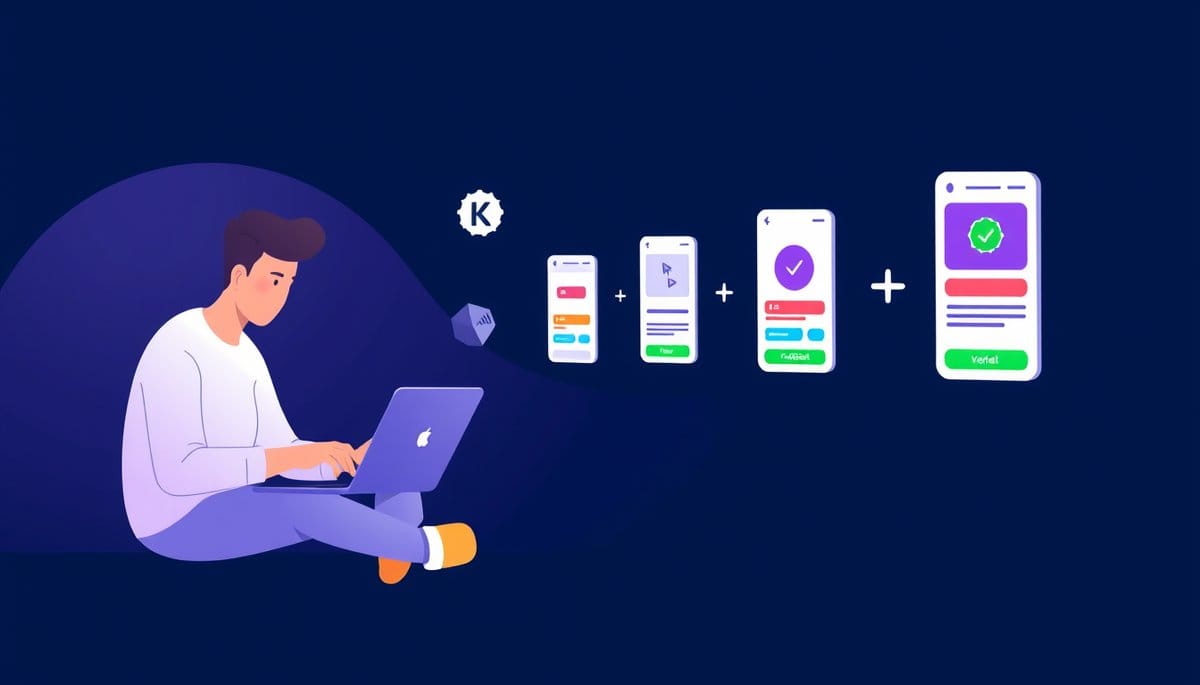
You go from prompt to deployed app by writing a clear description of what you want, feeding it to an AI coding agent like Bolt.new or Replit, letting it generate the full application code, and then pressing deploy — which publishes your app to the internet. The best agents handle all three layers (code, database, hosting) so you never touch a terminal.
What an AI Coding Agent Actually Does (The Pizza Order Analogy)
Think of an AI coding agent like a world-class chef who also owns the restaurant and handles delivery. You don't tell them how to cook — you just describe what you want to eat. The chef figures out every ingredient, every step, and gets it to your door.
An AI coding agent works the same way. You type a description of your app idea in plain English — 'I want a to-do list app where users can log in, add tasks, and mark them done.' The agent reads that prompt, writes the actual code files, connects a database (the place where your data gets stored), and sets up the interface users will see.
Here's what's happening behind the scenes — in terms a beginner can picture:
1. **Frontend** — the part users see and click on (buttons, colors, forms) 2. **Backend** — the invisible engine that processes your data and runs logic 3. **Database** — the filing cabinet that saves information between sessions 4. **Deployment** — publishing everything so anyone with a link can use it
Before AI agents, setting up all four layers took days and required knowing at least three different programming languages. Now? A well-written prompt handles it in minutes. That's not hype — tools like Bolt.new routinely produce full-stack apps from a single paragraph. You're not cutting corners; you're skipping the parts that were never the creative work anyway.
The Exact 5-Step Process: From Blank Page to Live URL
Here is the step-by-step process you can follow today. No experience required.
**Step 1: Pick your AI coding agent.** Start with Bolt.new — it's free to try, requires no setup, and deploys automatically. Replit is another strong choice if you want more control later.
**Step 2: Write a specific prompt.** Vague prompts get vague apps. Instead of 'make me an app,' write: 'Build a web app where users can submit a book title and a star rating from 1 to 5. Show all submissions in a list below the form. Use a clean white design.' Specificity is your superpower here.
**Step 3: Let the agent build.** Hit enter and watch. The agent will write code files, install the tools it needs (called dependencies), and show you a live preview — usually within 30 to 90 seconds. This is the part that feels like magic the first time.
**Step 4: Test and iterate.** Click through the preview. Something look wrong? Type a follow-up in the same chat: 'The submit button should be blue, not grey' or 'Add a delete button next to each entry.' The agent fixes it instantly. You're having a conversation, not writing code.
**Step 5: Deploy.** Bolt.new has a 'Deploy' button that pushes your app to a real URL in about 20 seconds. Replit has a similar one-click publish. Share that link — your app is live on the internet.
Total time for a simple app: 20 to 45 minutes on your first try.
The Mistake 90% of Beginners Make (And How to Fix It Fast)
Most guides tell you to start simple. Here's why that's often wrong advice when you're using AI agents specifically.
Starting *too* simple — like asking for a basic calculator — gives you nothing to learn from. The agent builds it in 10 seconds and you have no idea how to go further. The sweet spot is a prompt that's ambitious enough to be useful but scoped enough to finish in one session.
Here are the three most common beginner mistakes and exact fixes:
**Mistake 1: Writing a one-sentence prompt.** Fix: Add context — who uses the app, what problem it solves, what it should look like. Three to five sentences is ideal.
**Mistake 2: Approving code you didn't check.** Fix: Always use the preview before deploying. Click every button. Submit a test form. If something breaks, paste the error message directly into the chat — the agent will debug it.
**Mistake 3: Starting over when something goes wrong.** This is the trap. Beginners panic and delete everything. Don't. Almost every bug can be fixed by typing 'This part isn't working: [describe what happened].' Agents have excellent memory within a session.
One counterintuitive truth: the AI will occasionally build something that looks right but doesn't work correctly under the hood. That's not a failure — it's a normal part of the process even for experienced developers. The skill you're building is knowing how to *describe* the problem clearly, not how to fix it yourself.
Which AI Agent Should You Use? A Quick Comparison
Not all AI coding agents are equal for beginners. Here's an honest breakdown:
| Tool | Best For | Free Tier | Deploy Included? | Learning Curve | |---|---|---|---|---| | **Bolt.new** | Fastest first app | Yes (limited) | Yes, automatic | Very low | | **Replit** | Learning + sharing | Yes (generous) | Yes, one click | Low | | **Lovable** | UI-heavy apps | Yes (25 free msgs) | Yes | Low | | **GitHub Copilot** | Coding alongside humans | No ($10/mo) | No | Medium | | **Cursor** | Experienced beginners | Yes (limited) | No | Medium-High |
For your first deployed app: use **Bolt.new**. It has the shortest path from prompt to live URL and doesn't require you to understand anything about servers or hosting. Once you've shipped two or three apps there, Replit gives you more room to grow.
Skip Cursor and GitHub Copilot for now — they're powerful, but they assist with coding rather than replacing the setup process. You'll hit walls that require prior knowledge you don't have yet. That's not a knock on those tools; it's just honest sequencing.
Key Takeaways
- Bolt.new can take a 5-sentence prompt to a live, shareable URL in under 45 minutes — no coding knowledge required.
- The most important skill in AI-assisted app building is prompt writing, not programming — specificity in your description directly determines the quality of what gets built.
- Counterintuitive: starting with a more complex app idea (not a simpler one) often produces better learning outcomes when using AI agents, because it gives you real problems to iterate on.
- When something breaks, paste the exact error message into the agent's chat — this single habit will unblock you 80% of the time without needing any outside help.
- Within 2 years, the 'deploy' step will likely disappear entirely as agents gain persistent hosting by default — start learning the prompt-and-iterate loop now, because that skill transfers regardless of which tool wins.
FAQ
Q: Do I need to know how to code to use an AI coding agent?
A: No — tools like Bolt.new and Replit are specifically designed for people with zero coding background. The only skill you need on day one is the ability to describe what you want clearly in English.
Q: Does this actually work for real apps, or just toy demos?
A: It genuinely works for production-ready apps at the small-to-medium scale — think internal tools, landing pages, booking forms, and simple marketplaces. Where AI agents still struggle is with highly complex systems that require custom security architecture or processing millions of users; for those, you'd eventually need a developer.
Q: How do I start if I have an app idea right now?
A: Open Bolt.new in a new tab, write three to five sentences describing your app (who uses it, what it does, what it looks like), and hit enter — your first preview will appear in under two minutes.
Conclusion
The path from prompt to deployed app has never been shorter or more accessible. You don't need to learn syntax, memorize commands, or spend months in tutorials — you need a clear idea and 45 minutes. The one honest caveat: AI agents make the build fast, but they can't invent your idea for you. The creative direction is still yours. So here's your specific next step: open Bolt.new right now, describe one small app you've wished existed, and deploy it before you close this tab.
Related Posts
- How Do AI Coding Agents Deploy Apps?
You can go from a plain-English idea to a fully deployed app using AI coding agents — no prior coding experience required. The process involves writing a clear prompt, letting the AI generate your app, reviewing the output, and deploying with a single click. Thousands of beginners are doing this tod - How Can Beginners Use AI to Learn Coding Fast?
The best AI coding tool for complete beginners is Cursor AI — it lets you describe what you want in plain English and writes the code for you. You don't need to memorize syntax or take a course first. Within 30 minutes, you can have something real running on your screen. - What Is Vibe-Coding? AI Apps Without Writing Code
Vibe-coding means describing what you want in plain English and letting AI agents like Emergent, Claude Code, or Cursor write the actual code for you. India's startup Emergent just entered this space, proving AI-powered app building is now a global movement. If you have zero coding experience, this