How Do Free vs Paid API Keys Actually Compare?
A free API key gets you through the door — but rate limits, request caps, and missing SLAs will stop you cold in production. Paid tiers aren't just about volume; they change what you can reliably build. Here's exactly what shifts when you upgrade.
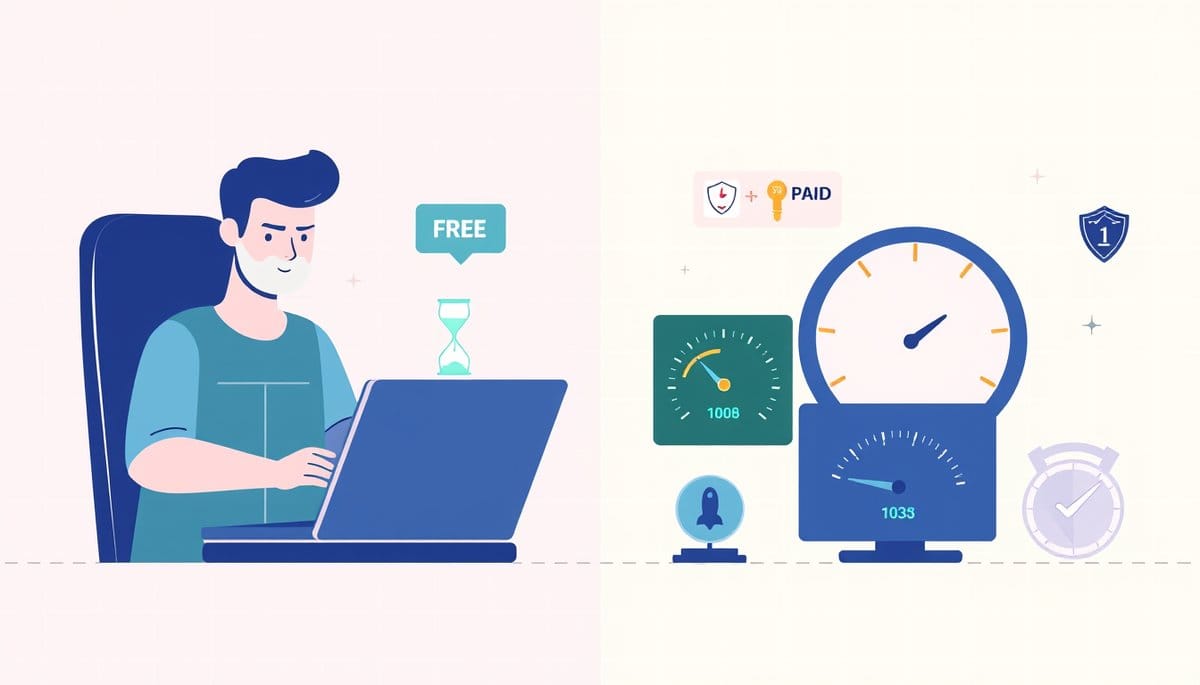
A free API key is a throttled trial — you get limited requests per minute or month, slower response priority, and zero uptime guarantees. A paid API key removes or raises those ceilings and typically adds SLA commitments, dedicated support, and access to premium model versions or endpoints. If you're building anything beyond a personal prototype, free tiers will eventually block you.
Free API Keys Are Speed-Limited Samples, Not Full Access
Think of a free API key like a library card for one specific shelf. You can read, but you can't take out more than three books at a time, and the librarian helps paying members first.
In practice, free tiers enforce two main constraints:
- **Rate limits**: capped requests per minute (RPM) or per day. OpenAI's free tier, for example, allows 3 RPM and 200 requests/day on GPT-4o — enough to test, not enough to ship. - **Token or compute caps**: some APIs restrict total tokens processed per month, not just call frequency. - **Model or endpoint access**: free keys often only reach older or smaller models. On OpenAI, GPT-4o-mini is available free; the full GPT-4o with extended context requires a paid plan. - **No SLA**: if the API goes down, free users have no recourse and no priority restoration.
The analogy holds further: paid plans are like a full library membership with a private reading room, a librarian on call, and unlimited checkout. The underlying data is the same — but access speed, depth, and reliability are fundamentally different.
How to Check Which Tier You're On (and What Your Limits Are)
Don't guess your limits — query them. Most APIs expose usage metadata in response headers or via a dedicated endpoint.
**With curl (OpenAI example):** ```bash curl https://api.openai.com/v1/models \ -H "Authorization: Bearer YOUR_API_KEY" ``` Check the response headers for `x-ratelimit-limit-requests` and `x-ratelimit-remaining-requests`. If you see `3` as your limit, you're on the free tier.
**With Python (checking remaining quota):** ```python import requests
response = requests.get( "https://api.openai.com/v1/models", headers={"Authorization": "Bearer YOUR_API_KEY"} )
print(response.headers.get("x-ratelimit-limit-requests")) print(response.headers.get("x-ratelimit-remaining-requests")) ```
For APIs like Google Maps or RapidAPI, your dashboard shows a real-time usage meter. Check it before building anything that depends on consistent throughput.
The practical upgrade threshold: if your app needs more than ~100 API calls/day from real users, you've already outgrown free.
The Counterintuitive Truth: Paid Tiers Are Often Cheaper Than You Think
Most developers assume upgrading is expensive. That's often wrong.
OpenAI's pay-as-you-go paid tier starts the moment you add a credit card — there's no minimum monthly fee. You pay per token used. For GPT-4o-mini, that's $0.15 per 1M input tokens. A typical chatbot interaction uses ~500 tokens, meaning 2,000 conversations cost roughly $0.15. That's not expensive — it's nearly free.
Here's what you actually get when you upgrade beyond the free tier:
| Feature | Free Tier | Paid Tier | |---|---|---| | Requests per minute | 3–20 RPM | 500–5,000+ RPM | | Monthly request cap | 200–1,000 | Millions (usage-based) | | Model access | Basic/older models | Latest + fine-tuning | | Support | Community forum | Email or dedicated | | Uptime SLA | None | 99.9%+ guaranteed | | Rate limit error (429) | Frequent | Rare |
The real cost of staying on the free tier isn't zero — it's the engineering time you spend working around limits, retrying failed requests, and handling 429 errors. That time is worth more than $0.15.
The One Mistake That Bites Developers at Launch
You built on a free API key during development. Everything worked fine — because you were the only user. Then you launched.
With 50 simultaneous users, your app instantly hits the free tier's RPM ceiling. Every excess request returns a `429 Too Many Requests` error. Your app breaks for real users on day one.
The fix is simple but non-obvious: **never use a free-tier key in a production environment**, even for low-traffic apps. Switch to a paid key before launch — not after the first incident.
Also worth knowing: some APIs silently downgrade your response quality under load on free tiers, rather than returning an error. You won't see a 429 — you'll just get slower or truncated responses. That's harder to debug.
If budget is a genuine constraint, set a hard spending cap on your paid account ($5–$10/month) rather than staying on free. Every major API provider — OpenAI, Google Cloud, AWS — supports billing alerts and hard caps. Use them.
Key Takeaways
- OpenAI's free tier caps you at 3 requests per minute — a single user typing fast can exceed that limit in under 60 seconds.
- Paid API tiers aren't always subscription-based; OpenAI, Anthropic, and Google use pay-as-you-go, meaning $0 minimum if you use nothing.
- Counterintuitive: staying on the free tier is often MORE expensive than upgrading, once you count the developer hours spent handling 429 errors and workarounds.
- Check your API rate limit headers right now using a single curl command — don't wait until your app breaks in production to discover your ceiling.
- Set a hard monthly spending cap ($5–$10) on your paid API account before launch; all major providers support this, and it eliminates budget risk entirely.
FAQ
Q: Can I use a free API key in a production app?
A: Technically yes, but practically no — free keys have no SLA and strict rate limits that break under real user load. A single user sending 5 requests in a minute will exceed OpenAI's free tier RPM ceiling and trigger 429 errors for everyone.
Q: Does upgrading to a paid API key actually improve response speed?
A: Yes, on most major providers. Paid users get priority queuing, which means lower latency during peak traffic — OpenAI documents this explicitly in their rate limits page. The difference is most visible under load, not in isolated tests.
Q: How do I upgrade from a free to paid API key without breaking my existing code?
A: Your API key itself doesn't change when you upgrade — only your account's tier does. Log into your provider's dashboard, add a payment method, and your existing key immediately inherits the higher limits with zero code changes required.
Conclusion
If you're testing an idea, start on the free tier — it costs nothing and proves your concept. But set a calendar reminder for launch day to switch to a paid key before real users arrive. The upgrade process takes under five minutes on every major provider, and the cost is almost always lower than the first hour you'd spend debugging a 429 storm in production. One honest caveat: if your app requires hundreds of thousands of API calls per day, model costs do add up — run the token math before you commit to an architecture, not after.
Related Posts
- How Do Free vs Paid API Keys Differ?
Free API keys give you enough to build and test, but they cap your request volume, throttle your speed, and exclude production-grade guarantees. Paid tiers remove those ceilings and add SLAs, priority support, and advanced features. Choosing wrong costs you either money or uptime. - Which Free SEO Tools Actually Track Rankings?
You don't need a $99/month Ahrefs subscription to track your SEO progress. Google Search Console alone answers the three questions that matter most: are you ranking, are you getting clicks, and is the trend moving up? Pair it with GA4 and one free rank tracker, and you have a complete picture. - How to Build with Claude API in 5 Minutes: Code, Pricing & Best Practices
With an Anthropic Claude API key, you can ship a document summarizer, customer support bot, or code reviewer in under 5 minutes — no ML background needed. This guide walks through authentication, a working Python example, real pricing numbers, rate limits, and the error-handling patterns that trip u
Also on AI Future Lab
- [Solar Lab | Week 2 Day 1] FASnI3 Lead-Free Perovskite - AI Lab Simulation
{"@context": "https://schema.org", "@type": "NewsArticle", "headline": "[Solar Lab | Week 2 Day 1] FASnI3 Lead-Free Perovskite - AI Lab Simulation", "description": "", "publisher": {"@type": "Organiza